 Tori Tao
“Where do I begin?”
An empty “Ask agent” box asks a newcomer to invent a use case and explain it. The first design problem is helping them recognize a useful task from their own day.
 HKGAI OfficeAI WORK COMPANIONWeb · EN / 中文
Helping employees begin, decide what to delegate,
and teach an agent how their work gets done.
Your work.
A place to begin.
With WorkBuddy and other work agents already available, HKGAI Office needs a clear reason to exist. My starting point is the employee using an agent for the first time: they may not know what to ask, which parts of their job to hand over, or how to help the agent understand their way of working. The design explores a path from one useful, reviewable task to a repeatable workflow. That is the differentiation hypothesis this project still needs to prove.
A new product has to earn a place in someone’s workday. My hypothesis is that first-time employees need help making the first handoff: choosing a worthwhile task, understanding the boundaries, and seeing an outcome they can judge.
Make the first useful handoff easier.
Make the next one more familiar.
An empty “Ask agent” box asks a newcomer to invent a use case and explain it. The first design problem is helping them recognize a useful task from their own day.
Employees need to decide which parts of a job the agent can prepare, what they must check, and which actions still need their approval. Trust has to be earned through that experience.
Useful work depends on a person’s tone, terminology, source documents and approval steps. A repeat task should benefit from what the employee explicitly teaches and corrects.
These are product questions and design hypotheses, not findings from completed user research or claims about competitors’ limitations.
The brief sets a product direction, not a confirmed launch plan. These dependencies shape what I can design now, what the team must decide, and what a pilot needs to prove.
Employees already have tools and routines. More capabilities do not establish a reason to switch. I would start with a task people choose and repeat before widening the product.
Decision to validate: which role and first task offer enough value to justify setup and review?Email, meeting and knowledge connections are simulated. A usable pilot depends on engineering capacity and real backend integration. The prototype makes the handoffs visible while those dependencies remain open.
Pending in the brief: assign integration resources and confirm the first supported sources.Storage location, retention and training use are unresolved in the brief. Product, legal and IT owners need to confirm the operating arrangement before the interface can promise it.
Design response: show source scope and approval boundaries; avoid unverified data-residency claims.The brief proposes one department or team with 5–10 people; the group is not yet selected. I would use that pilot to examine setup effort, review burden and voluntary return before arguing for wider adoption.
Still open: buyer and sponsor, rollout effort, support needs and commercial viability. No validated revenue or adoption results yet.Pilot size is a proposal from the brief, not completed research. No confirmed budget, launch date or pricing decision was provided.
The prototype explores a guided start: recognizable task suggestions, a review step before sending, and answers with sources. These screens make the hypothesis testable. They do not yet establish which task will be the most useful starting point for each employee.
Recognizable tasks give a newcomer something to react to. The current demo shows email, meeting follow-up and a document question. Research must establish which suggestions match the employee’s real work, and what they need before starting.
Email, meetings and knowledge are the current demo scenarios. Translation is another candidate. Start with employees’ actual work, then prioritize by frequency, review effort, perceived risk and willingness to repeat.
Help me respond to a thread without missing its context.
Test: is reviewing the draft easier than writing it?Turn discussion into actions I can confirm and use.
Test: does the output fit the team’s follow-up routine?Help me check a rule against the relevant document.
Test: can I find and judge the supporting evidence?Prepare a Chinese–English draft with the right tone and terms.
Test: are meaning, terminology and review effort acceptable?Also ask: what task is missing? The right entry point may be something employees bring to the study, beyond these four candidates.
Try a suggested task in the workspace below. Sample data, simulated responses, real interactions.
Home design from Figma, focused on task entry and the Sources setup panel; detailed approval and citation screens come from the product brief. Responses and connections are simulated. The current demo illustrates three scenarios; translation and reusable workflows are proposed areas for validation.
To hand over real work, employees need to know what the agent can do, what it has used, and where their own judgment is required. The interface makes those boundaries visible. The research question is whether people understand and use them, especially when an answer looks convincing but is wrong.
The agent prepares an email; the employee controls the handoff. The review card offers send, edit and do-not-send paths. “Ask before action” stays visible. In a study, I would ask participants which parts of their own task they would delegate and observe what they actually check before approving.
Source markers lead back to the relevant document. The proposed knowledge model separates personal, organization and official sources. A missing answer should stay explicit. Validation must test whether employees can spot a gap, challenge a citation and avoid accepting an unsupported answer.
The task-flow design keeps the plan, approval, progress and output together. It helps an employee see what was delegated and where they intervened. Follow-up suggestions offer a next step; research must establish whether that step fits the person’s real workflow.
The longer-term question is how an agent becomes useful beyond its first answer. I would explore an explicit, editable way for employees to teach their process and decide what carries into the next task.
Start with a past output, template or real task. Identify the format, terminology and review steps that matter.
The agent summarizes how to help: inputs, steps, output and approval boundary. The employee corrects the proposal.
Ask before saving preferences. Let the employee inspect, edit or remove them and limit where they apply.
Show which preferences were applied. Compare correction effort and check that judgment stays with the employee.
This is a proposed interaction to test, not a claim that the current prototype automatically learns employees’ workflows.
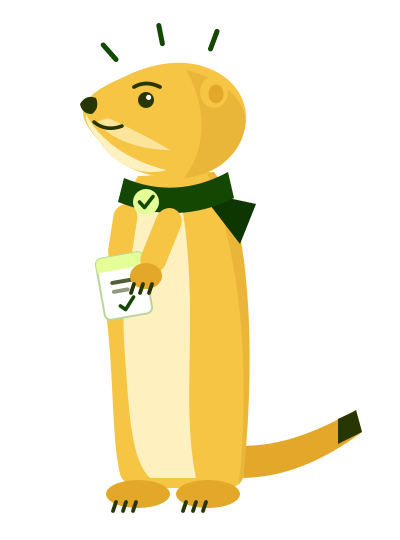
A prairie dog stands up to keep watch and lives as part of a group. That became the agent’s visual metaphor: attentive, collaborative, and ready to take on a task. Its posture helps communicate what is happening. The character is a cue for attention and state; the product still has to earn trust through useful work and clear boundaries.
Standing upright signals a transition into task work.
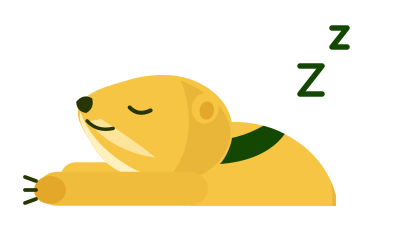
A quiet resting pose sits at the edge of the input area.
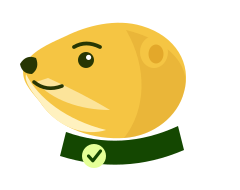
The head-only avatar gives agent replies a consistent identity.
Five states defined in the product brief. Posture supports the interface; explicit task labels and approval controls carry the meaning.
The open question is whether this approach earns a place in employees’ work. The next study should test the full journey: task choice, a first result, a decision to delegate, and a related task on another day.
Recruit government staff across roles and levels of agent experience. Ask them to bring representative, non-sensitive tasks and explain their existing process. Let them rank email, meetings, knowledge, translation and their own suggestions before selecting tasks for the study.
| Question | How to test it | What to look for |
|---|---|---|
| 01 / DIFFERENTIATIONWhy choose another tool? | Compare a representative task in the employee’s current workflow and HKGAI Office. Where they already use WorkBuddy or another agent, include it and vary the order of the comparison. | Prompting and setup effort, output usefulness, review burden and a concrete reason to use it again. If existing tools serve the task as well, narrow or rethink the proposition. |
| 02 / FIRST TASKCan I find a place to start? | Compare a blank composer with guided task suggestions. Let first-time users choose their own task without a moderator telling them what to ask. | Task choice, time to a first useful result, requests for help and abandonment. Check which scenarios employees choose, including translation and tasks outside the demo. |
| 03 / TRUSTDo I know what to hand over? | Use safe sample outputs with a deliberate mistake or missing evidence. Ask participants to review, correct, decline or approve, and explain their boundary for delegation. | Whether they catch the issue, inspect sources and understand what approval does. Confidence should track the quality of the result; a fast approval alone is not success. |
| 04 / WORKFLOW FITDoes the next task get easier? | In a later session, repeat a related task with an explicitly approved routine: format, tone, terminology and approval steps. Let the employee inspect, change or remove it. | Repeated instructions, correction effort, inappropriate reuse and voluntary return. For translation, have a bilingual reviewer check meaning and terms as well as fluency. |
Guided task entry, review before action, source-linked answers and visible task progress. The bilingual demo and companion identity give participants something concrete to react to.
Explore the prototype ↗The strongest first scenario, the right delegation boundary and whether a reusable workflow earns repeat use. Translation and workflow learning are proposed directions. Real integrations and data-handling commitments also remain to be resolved.
Build around the tasks employees choose, can review, and want to repeat.
If one scenario earns that trust, start there. If review costs outweigh the help, or existing tools already meet the need, change the direction before expanding the feature set.